01
Start with what you want to teach
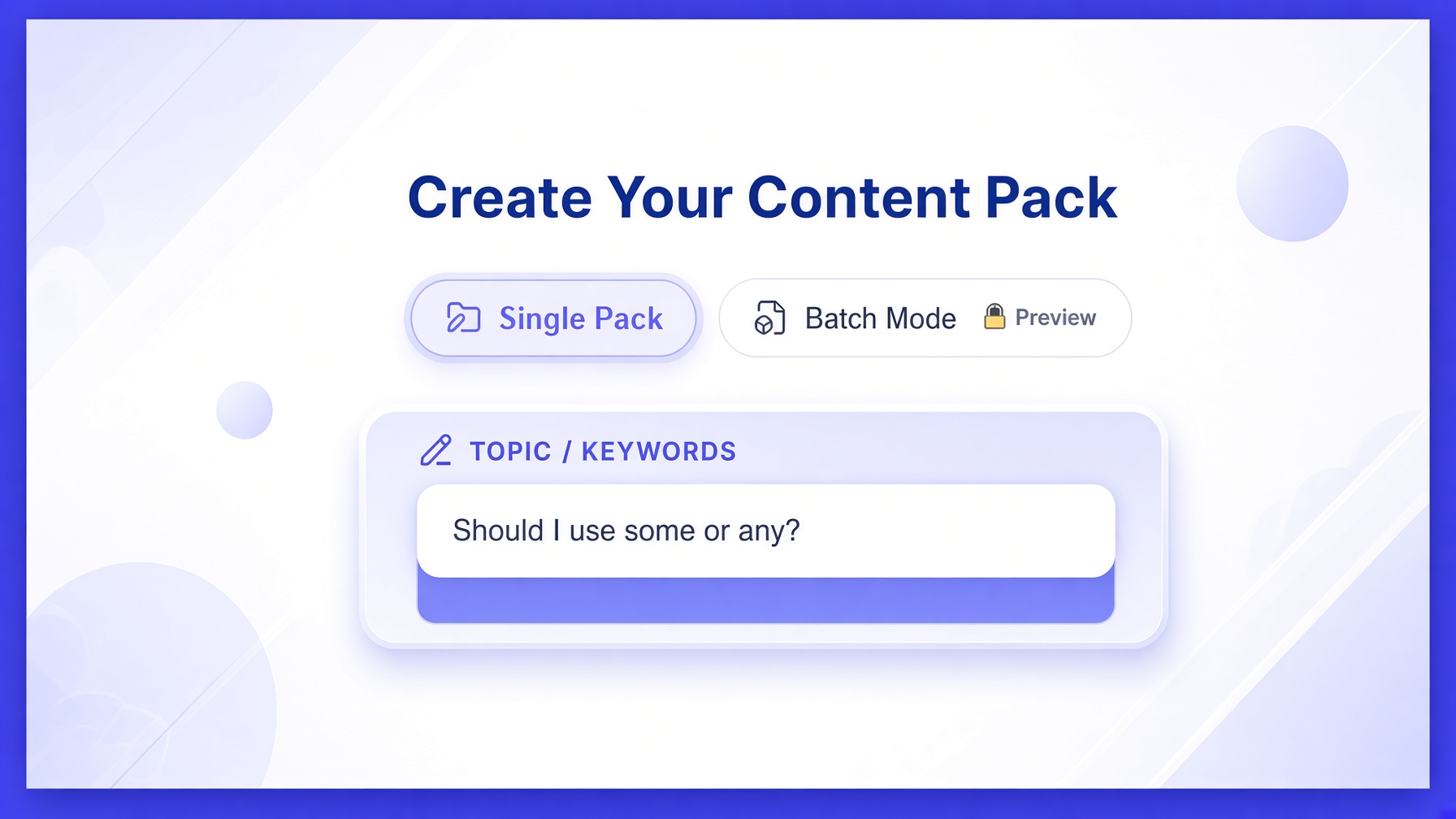
Enter a topic such as “Should I use some or any?” You stay in control of the lesson.
Turn a teaching topic into a structured social content pack with scripts, captions, subtitles, SEO, student practice materials and more—built around your students, teaching level and chosen platform.
TeacherFly is built for online teachers who need to stay visible without turning social media and marketing content into a second job.
TeacherFly is currently in Controlled Beta. Applying does not create an account or guarantee access. Approved educators will receive a separate invitation.
You are applying to help test the TeacherFly Controlled Beta before wider release.
You are not purchasing a subscription and this application does not automatically create a TeacherFly account.
One simple teaching post can turn into a long list of jobs. Generic AI tools can help with individual pieces. TeacherFly is being built around the teacher’s complete content workflow.

Bring the teaching idea and your learner settings together into one structured content pack.
Enter a topic such as “Should I use some or any?” You stay in control of the lesson.
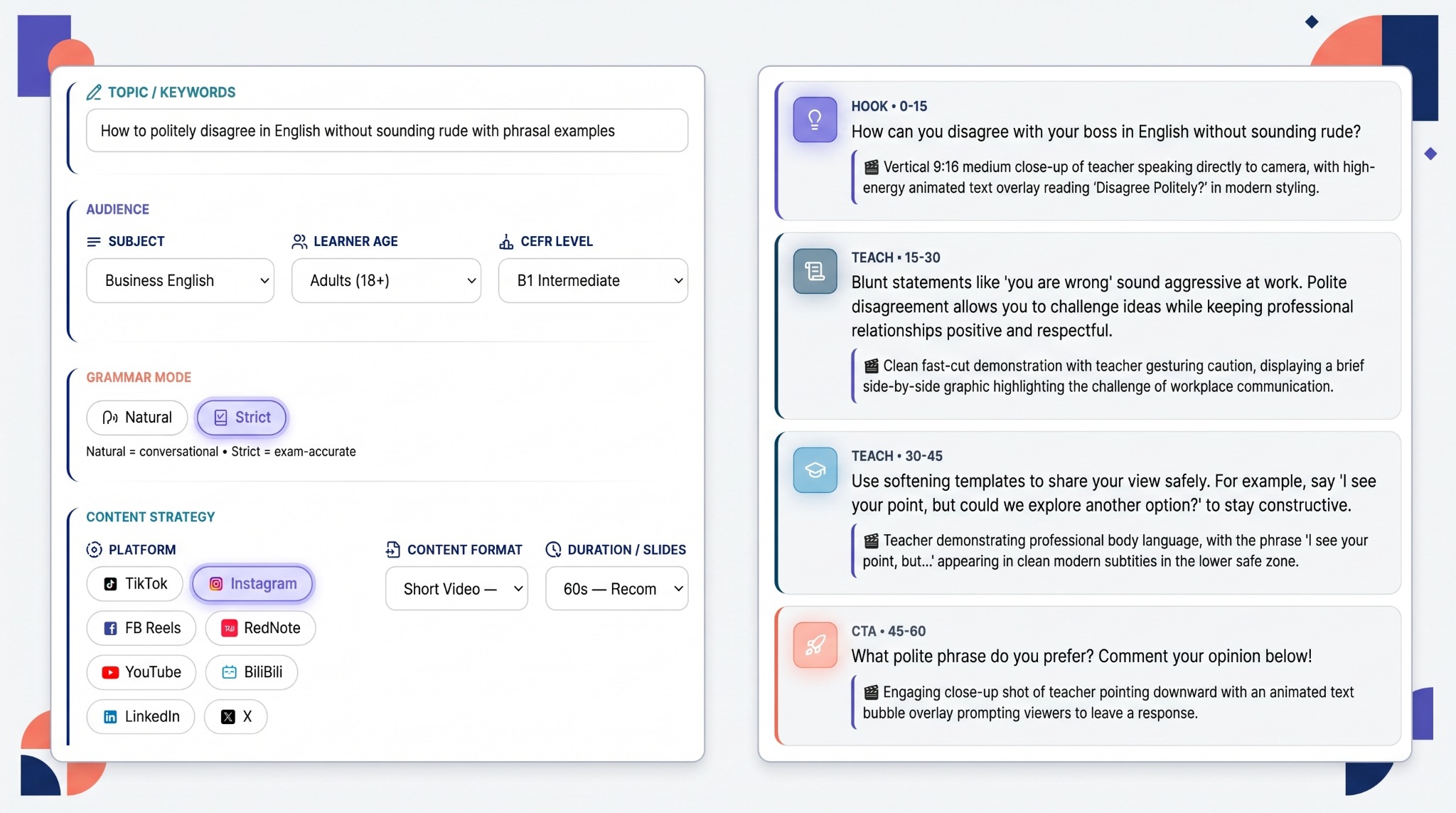
Choose Subject, Learner age, CEFR level, Platform and Content format. Fine-tune Tone, Hook, CTA (Call-to-Action), Grammar Mode and subtitles when needed.
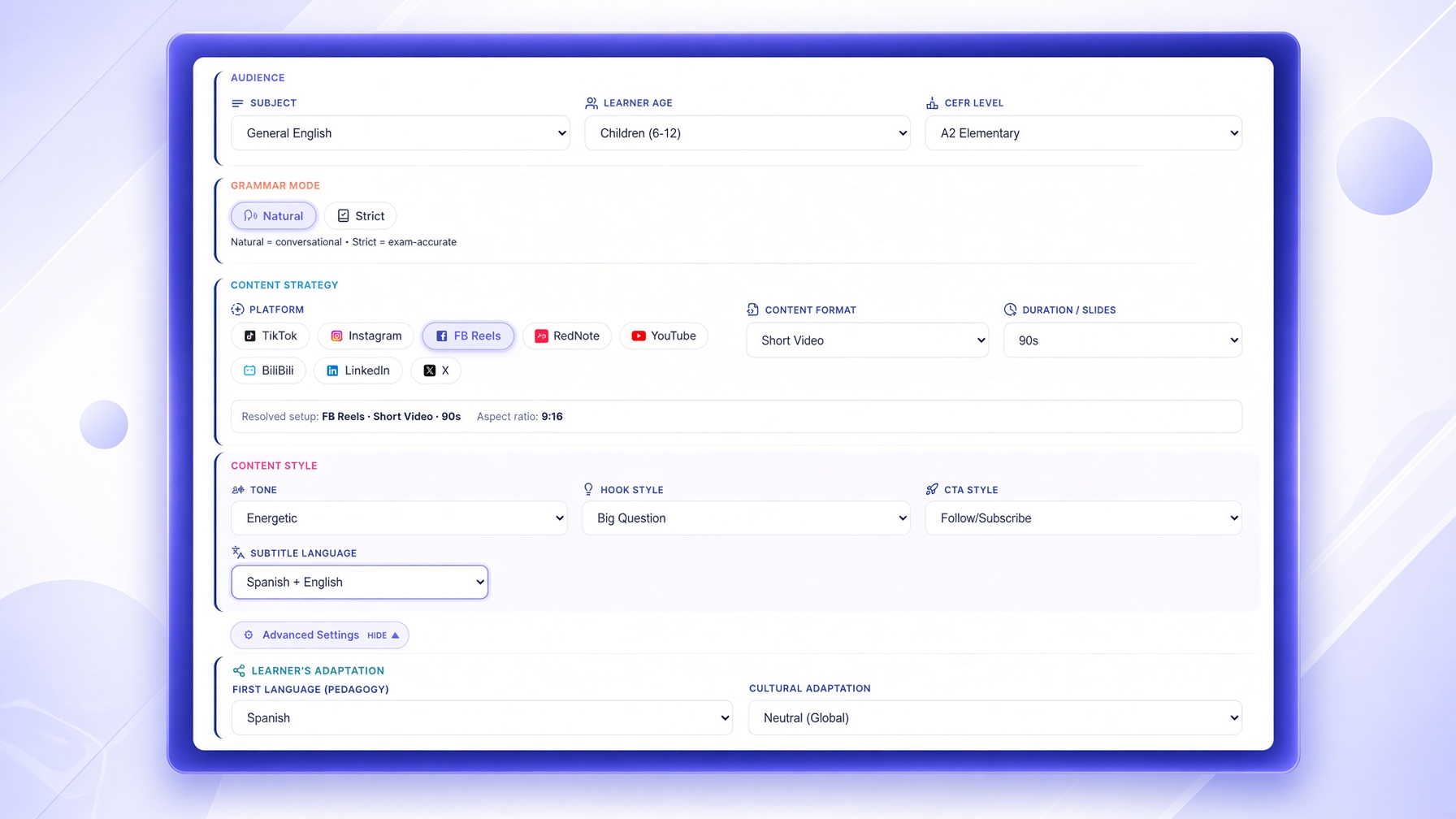
TeacherFly combines those choices into teaching and social-media assets with your topic at the centre.
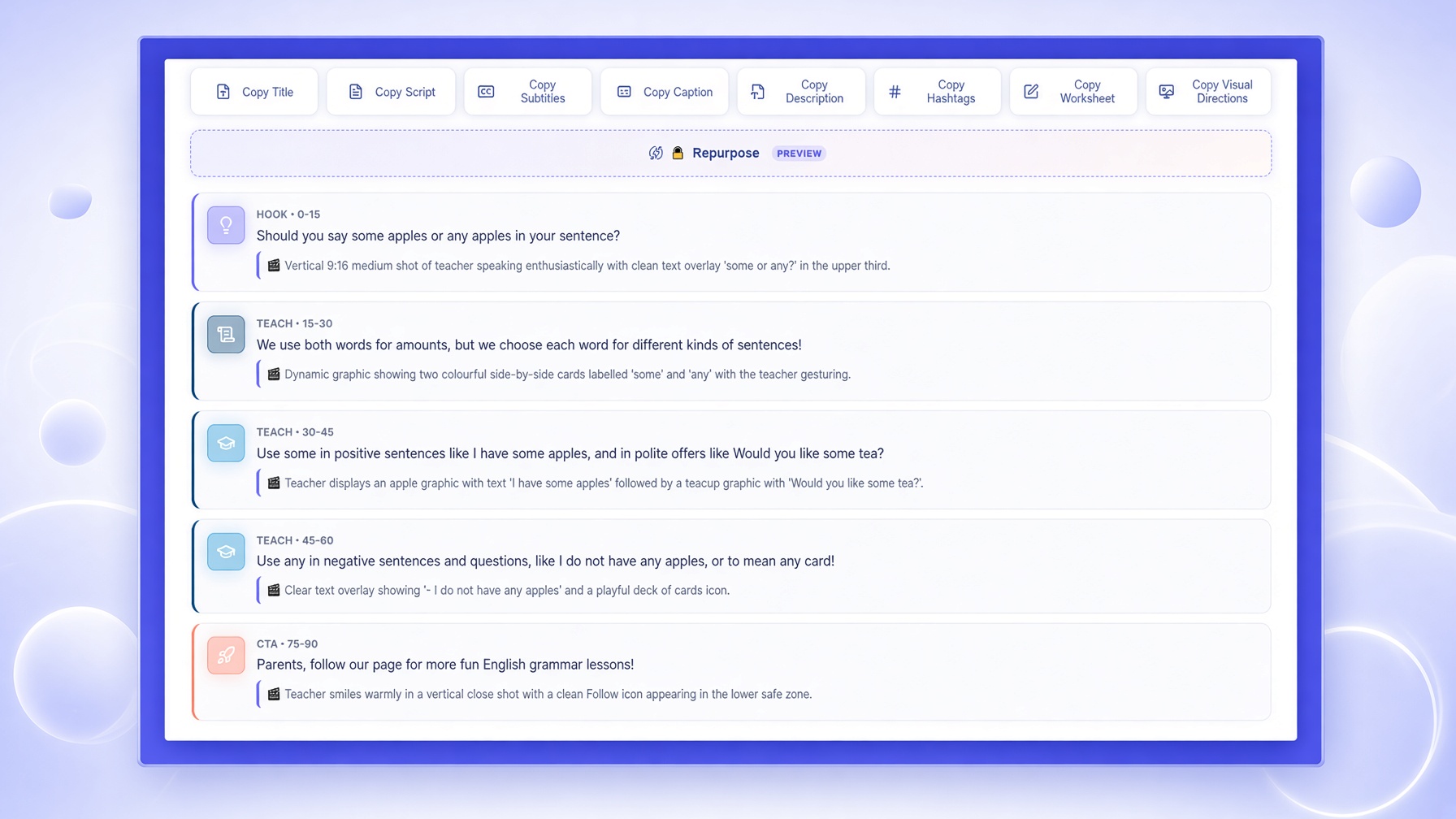
Get a structured script with a Hook and CTA (Call-to-Action) shaped around your learner and platform settings.
Create subtitles and learner worksheets with supported translation and language-adaptation options.
Every pack includes an SEO/social pack with titles, description, caption and hashtags for social media posting.
Every pack includes visual directions you can use when creating the visuals for your social-media content.
Create structured teaching scripts and supported content formats.
Adjust content for learner age and language level.
TikTok, Instagram, Facebook, YouTube, LinkedIn, RedNote, Bilibili and X.
Control how content sounds, opens and what viewers should do next.
Titles, descriptions, captions and hashtags alongside the main content.
Create subtitles, export SRT and use supported subtitle translation.
Create worksheets designed for independent practice and review.
Record from your generated script and save work to reopen and reuse later.
For content where tighter CEFR control is important. TeacherFly follows the selected learner level more rigorously when choosing grammar, vocabulary and language complexity.
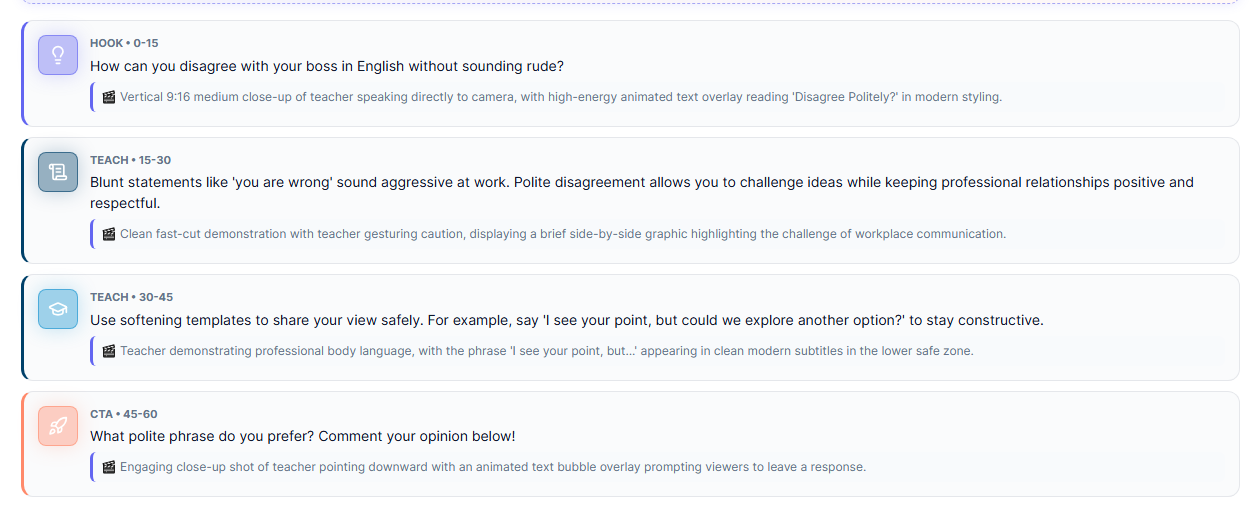
For content that should feel more conversational while still adapting to the selected learner level.
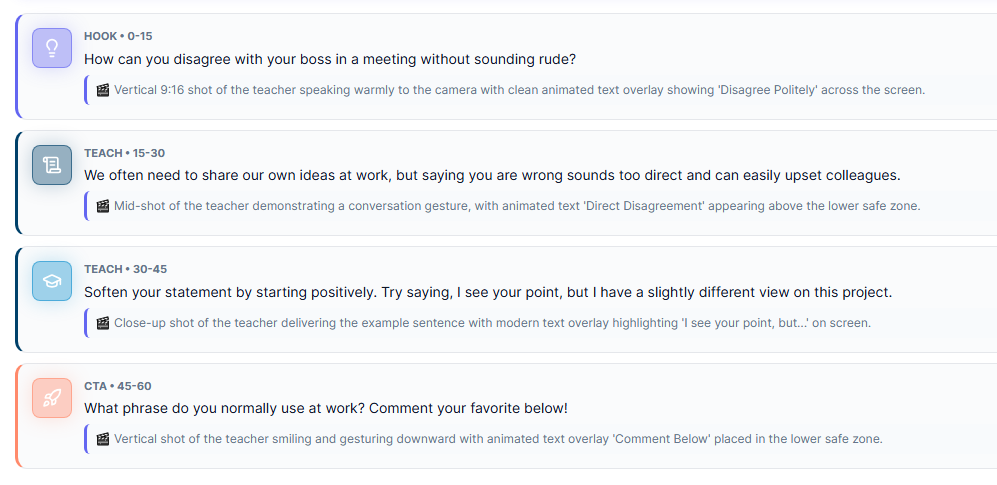
Real TeacherFly output examples. Strict prioritizes tighter CEFR control; Natural keeps the selected learner level while allowing a more conversational teaching style.
The same topic shouldn’t sound the same for everyone—and the same lesson should not be structured identically for every platform.
Same teaching idea. Different learner. Different platform. Different content needs.
A general LLM such as ChatGPT can help you draft individual pieces. TeacherFly is designed to connect the teacher-specific steps into one guided social media and marketing content workflow.
Illustrative workflow only. The exact number depends on the tools you already use and whether one service covers multiple steps.
TeacherFly helps you create and prepare social media and marketing content. You remain responsible for reviewing, editing and deciding what you publish.
Watch a real TeacherFly walkthrough—from entering a teaching topic and choosing learner/platform settings to reviewing the completed content pack and workflow tools.
Watch TeacherFly Demo (2:34) ▶Before wider release, we want a smaller group of educators to use the product in real teaching and social media and marketing content-creation situations.
You don’t need technical knowledge. You simply need to be willing to use the product and tell us about your experience.
Applications are currently open to educators interested in testing TeacherFly before wider release. Submitting this form does not create a TeacherFly account.
You are applying to participate in the TeacherFly Controlled Beta. Selected educators receive early access and may be asked to provide feedback. Submitting the application does not automatically create a TeacherFly account.
No. TeacherFly currently focuses on helping online teachers create and prepare social media and marketing content. You review the generated material and decide where and how to publish it.
No. In the current Controlled Beta, a TeacherFly pack can include the main teaching content plus supporting assets such as captions, SEO information, hashtags, subtitles, SRT files, visual directions and student practice material. TeacherFly also includes workflows such as the Teleprompter and Content Library. The product roadmap also includes future workflow features such as Batch Creation, content Repurposing and content Scheduling. Those roadmap features are not part of the current Controlled Beta unless they are explicitly announced as available.
The current workflow includes TikTok, Instagram, Facebook, YouTube, RedNote, Bilibili, LinkedIn and X.
TeacherFly uses learner age and CEFR level, with Natural and Strict Grammar Modes, to adapt content to the selected learner.
TeacherFly is still being tested. You may encounter bugs, confusing behaviour or content that needs editing. Finding those issues is part of the Controlled Beta.
Let TeacherFly help with more of the work around creating social media and marketing content.
Controlled Beta · Limited access · Application required